How to Mock an API for Frontend Development Without Waiting for the Backend
The worst sprint I've ever had started with five tickets ready in Jira, a Figma file approved by design, and a backend team that was three weeks behind. We sat there. Two frontend devs, ten days of capacity, blocked on a single missing endpoint.
What we eventually shipped was hardcoded arrays inside three components, a mockUsers.json that nobody dared touch, and a vague mental note to "wire it up properly later". You can guess how that ended: when the real /api/users finally arrived, half the screens had to be rewritten because they were silently built around the shape of the fixture, not the shape of the real response.
That sprint is the reason I take API mocking seriously now. Not as a "nice to have", but as the default way to start any feature where the backend isn't ready yet — which, in my experience, is most of them.
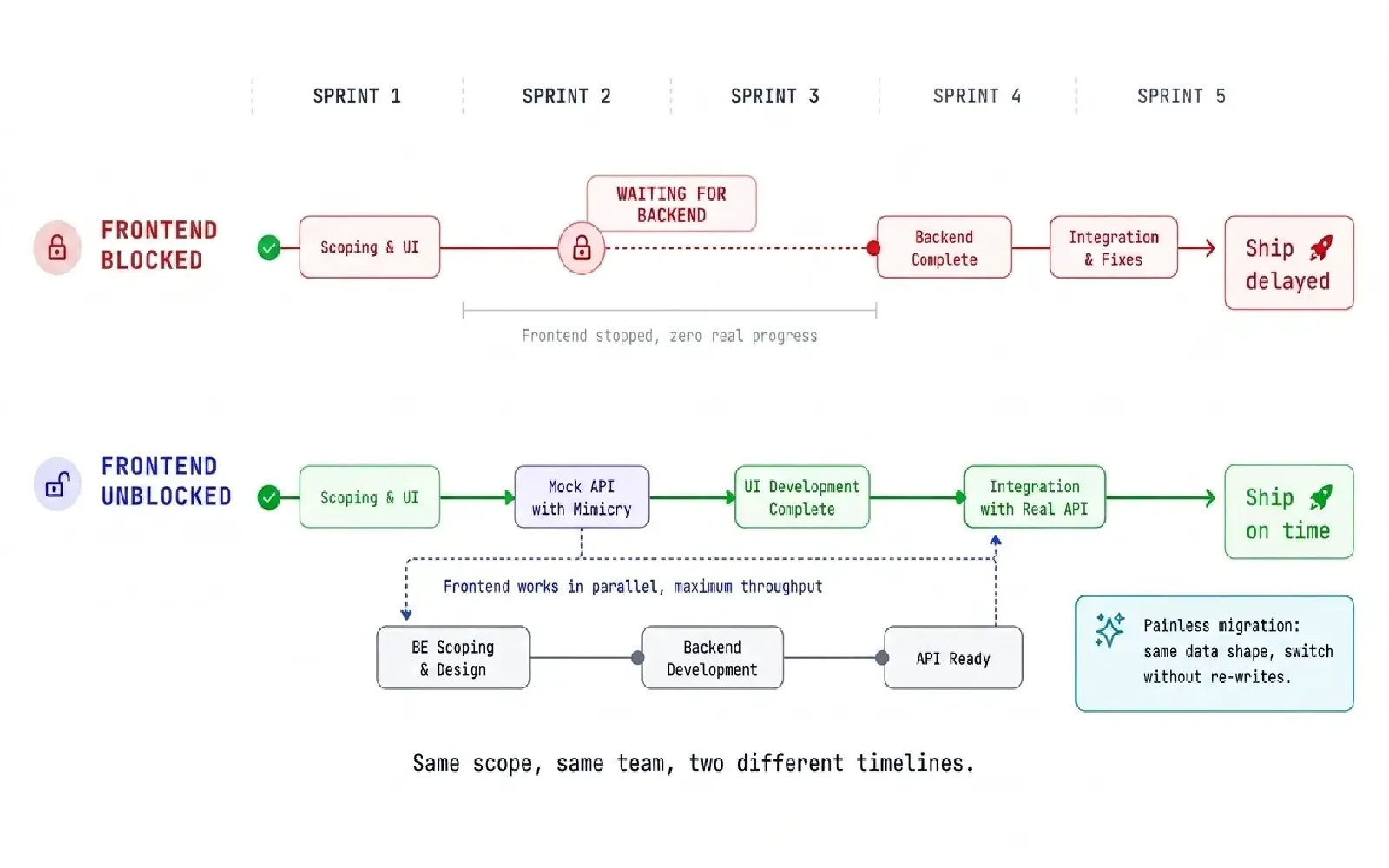
Same scope, same team, two different timelines. The difference is whether the frontend is allowed to move while the backend is still being figured out.
What "mocking an API" actually means
Mocking an API means standing up a fake backend that behaves like the real one — same URLs, same response shapes, same HTTP semantics — even when the real backend doesn't exist yet.
The bar isn't "data on the screen". A console.log("hello") puts data on the screen. The bar is whether your frontend can be exercised against the same range of behaviors it'll see in production:
- successful responses with realistic data
- empty results, paginated results, weird edge cases
- loading states with real network timing
- validation errors (
422), auth failures (401,403), missing resources (404) - server errors (
500) and timeouts - responses that occasionally fail and then succeed on retry
If your "mock" only covers the first one, it's a fixture. (And if you want the longer argument on why fixtures aren't enough on their own, I wrote a whole separate piece on it.
The four ways teams usually try to solve this
In ten years of frontend work, I've seen the same four patterns over and over when the backend isn't ready:
- Hardcoded arrays inside components. Fastest. Worst long-term. The data becomes part of the component, the boundary disappears, and migration is a refactor.
- A local
mockUsers.jsonimported viaimport. Slightly better. Still no network boundary, still no error path, still no latency. - A half-built fake service in the same repo. Better still. But now you're maintaining two backends, and the fake one always lags.
- Waiting. The "safest" option. Also the most expensive. A frontend dev waiting on backend is the most predictable line item in a missed deadline.
None of these scale. Each one creates exactly the kind of technical debt that's invisible until you try to swap the mock for the real thing six months later — and then it's everywhere.
The tools that actually exist for this
There are three serious players in this space, plus Mimicry. I'll be honest about all four.
json-server is the fastest way to get a REST API on top of a single JSON file. Five minutes to set up, zero code to write. The catch: it lives as a Node process on your machine. Sharing it with QA, designers, or a mobile dev means deploying it somewhere yourself, and it has no first-class concept of latency injection or failure simulation. Great for the first 48 hours of a feature, painful after.
MSW (Mock Service Worker) intercepts requests at the network layer using a service worker. It's beautifully designed and excellent for unit and integration tests. The trade-off is that it lives inside your codebase: your handlers are JS files, your scenarios are JS code, and anyone who wants to use the mock has to run your frontend repo. If you're sharing a mock with someone who isn't a frontend dev on your project, MSW is the wrong tool.
Postman Mock Servers are the heavyweight option. Powerful, hosted, integrated with the rest of the Postman ecosystem. Also heavy to configure, slower to iterate on, and built more for API contract testing than for "I want to spin up a fake /users in 30 seconds".
Mimicry is what I reach for when I want a hosted mock that lives at a real URL, has chaos mode for latency and failure injection out of the box, and can be shared as a link without making anyone clone a repo. The guest mode means I can prototype without an account; once a project is real, the URLs are stable and shareable with QA.
None of these are mutually exclusive. I run MSW for unit tests and a hosted mock for the running app. Pick the tool that matches the boundary you're testing.
A workflow that actually works in React or Next.js
Four steps, in the order I do them. The order matters more than the steps.
Step 1. Define the contract before the UI
Before writing a single component, write the response shape your screen needs.
{
  "data": [
    {
      "id": "usr_1",
      "name": "Alice Johnson",
      "email": "[email protected]",
      "status": "active"
    }
  ],
  "meta": { "page": 1, "total": 42 }
}
This sounds obvious. Almost nobody does it.
The benefit isn't the JSON itself — it's the conversation. The moment you write down the shape, you discover the questions nobody asked: is status an enum or a free string? Is meta.total total rows or total pages? What does a missing email mean? Those questions are cheap to answer in a Slack thread. They're expensive to answer after both teams have already shipped against incompatible assumptions.
Save the contract somewhere both teams can see it. A markdown file, a Notion page, a comment in the ticket — anywhere.
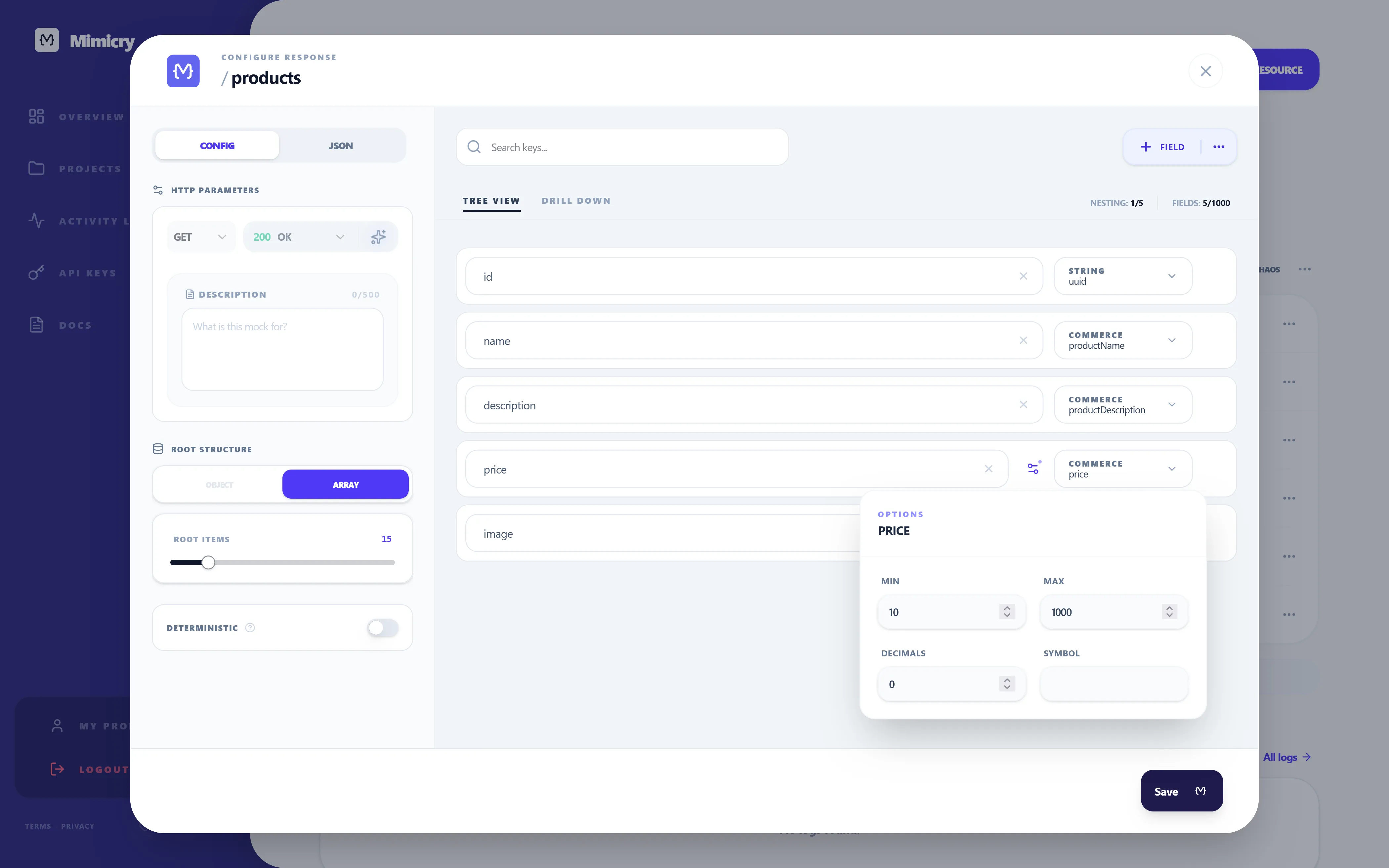
The schema editor doubles as the contract. Once it exists, the mock and the conversation with the backend team start from the same place.
Step 2. Point the frontend at a real URL from day one
Even with no backend, your data layer should call fetch, not import.
export async function fetchUsers() {
  const baseUrl = import.meta.env.VITE_API_URL;
  const response = await fetch(`${baseUrl}/m/products`);

  if (!response.ok) {
    throw new Error("Failed to fetch products");
  }

  return response.json();
}
The mock URL points at Mimicry today. Six months from now, VITE_API_URL points at the real backend. The component never knew the difference. Your fetcher (whether it's TanStack Query, SWR, or plain fetch) doesn't care.
This single decision is the one that pays off six months later. I've watched teams skip it and spend two weeks "migrating from mocks to real endpoints" — which is just a polite name for rewriting the data layer they should have built once.
Step 3. Test the failure paths, not just the happy one
This is the step that separates "I have a mock" from "I have a useful mock".
You should be able to flip your endpoint into:
- a slow response (real network conditions, not a
setTimeout) - a
500that returns sometimes, not always (so retries get exercised) - a
401to verify your auth recovery flow - a
404to make sure your "not found" UI is more than a default
In Mimicry, all of this lives under chaos mode: turn on random latency, set a failure rate, pick the status code. The frontend code doesn't change. (The deeper version of this argument is split across two pieces: How to Test Loading, Empty, Error, and Success States for the UI side, and API Chaos Testing for Frontend Developers for the chaos workflow itself.)
Step 4. Treat the mock URL as a team asset, not a personal sandbox
The piece that almost nobody plans for: who else uses the mock?
QA needs to test against it. The mobile dev wants to point their iOS app at it. The PM wants to demo a screen on Tuesday. The designer wants to grab a screenshot with realistic data.
If your mock lives only on your laptop (json-server) or only inside your frontend repo (MSW), you've made yourself the bottleneck. The whole point of a hosted mock URL is that the mock is the team's, not yours.
This is the one place I'd argue Mimicry has a structural advantage over local-first tools: the URL is just a URL. You paste it in a Slack channel and everyone has it. CI uses the same URL. Storybook uses the same URL. The mobile app uses the same URL.
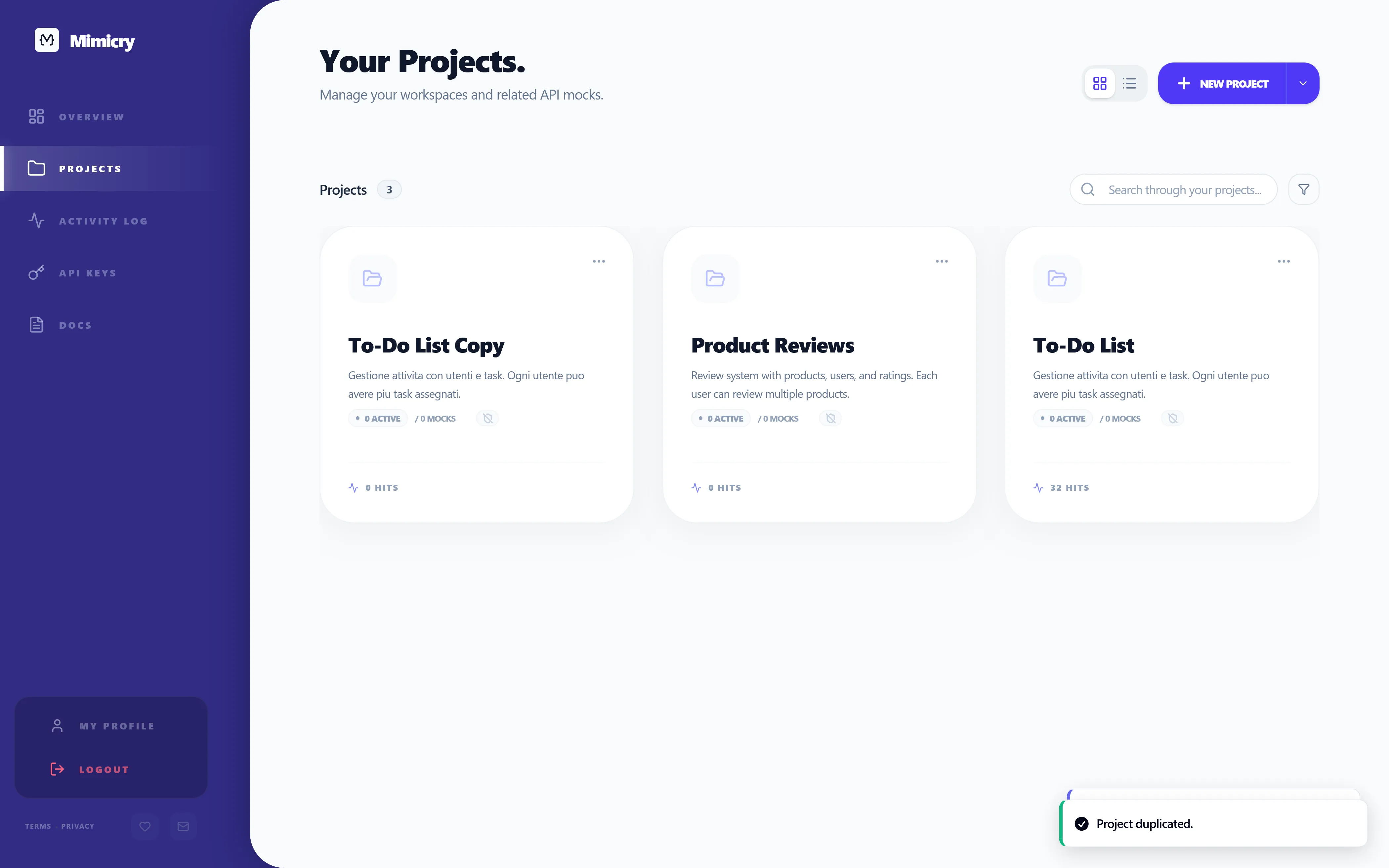
What this workflow gets you
A few things that aren't obvious until you've shipped a few features this way:
- Backend conversations get sharper. The contract is written down, so the discussion is "this field, this shape", not "uhh, I think it returns an array".
- QA can start earlier. They get a stable URL the day the frontend is buildable, not the day the backend is done.
- Onboarding new frontend devs is faster. They
npm install, set one env var, and have a fully running app in under five minutes. - You stop discovering loading and error bugs in production. Because you've actually tested them.
The alternative — hardcoded arrays, frozen fixtures, "we'll wire it up later" — feels faster for the first day. It's measurably slower for the first month.
Final takeaway
If your team is blocked on the backend, the question isn't "should we mock?". The question is "why aren't we already mocking?".
The only honest reasons I've heard are: nobody set it up, the existing tool felt too heavy, or someone tried json-server once and gave up. None of those are good reasons to leave a frontend dev idle for two weeks.
Pick a tool, set up a URL, share it with the team. The rest of the workflow takes care of itself.
If you want to skip the setup and just have a mock endpoint live in 60 seconds, you can do that as a guest at Mimicry — no signup, no install. If you want the deeper rabbit holes, Static JSON Mocks Are Not Enough covers why fixtures alone fall short, How to Test Loading, Empty, Error, and Success States covers what to do once the mock is in place, and API Chaos Testing for Frontend Developers covers how to break the same mock on purpose.
Ready to try it yourself?
Stop waiting for the backend. Use Mimicry to create a mock API, launch a mock REST API generator, or share a hosted mock API with your team.
Create a Mock API