How to Test Loading, Empty, Error, and Success States with a Mock API
A few years ago I shipped a "finished" admin dashboard on a Friday afternoon. It looked great in staging: rows of users,
sortable columns, a tidy toolbar. On Monday morning, the first real customer logged in and saw a blank white page.
Their account was new. Zero users. The table assumed data[0] always existed and crashed the whole route.
That bug wasn't a bug. It was a missing state.
Most frontend bugs aren't on the happy path. They show up when the request is slow, when the list is empty, when the server returns something nobody planned for. If you only ever test with the one JSON payload your designer used in Figma, you're not really testing the interface your users will see.
There are four states every important screen needs to handle, and the cheapest way to exercise all of them is a mock API that behaves like a real backend.
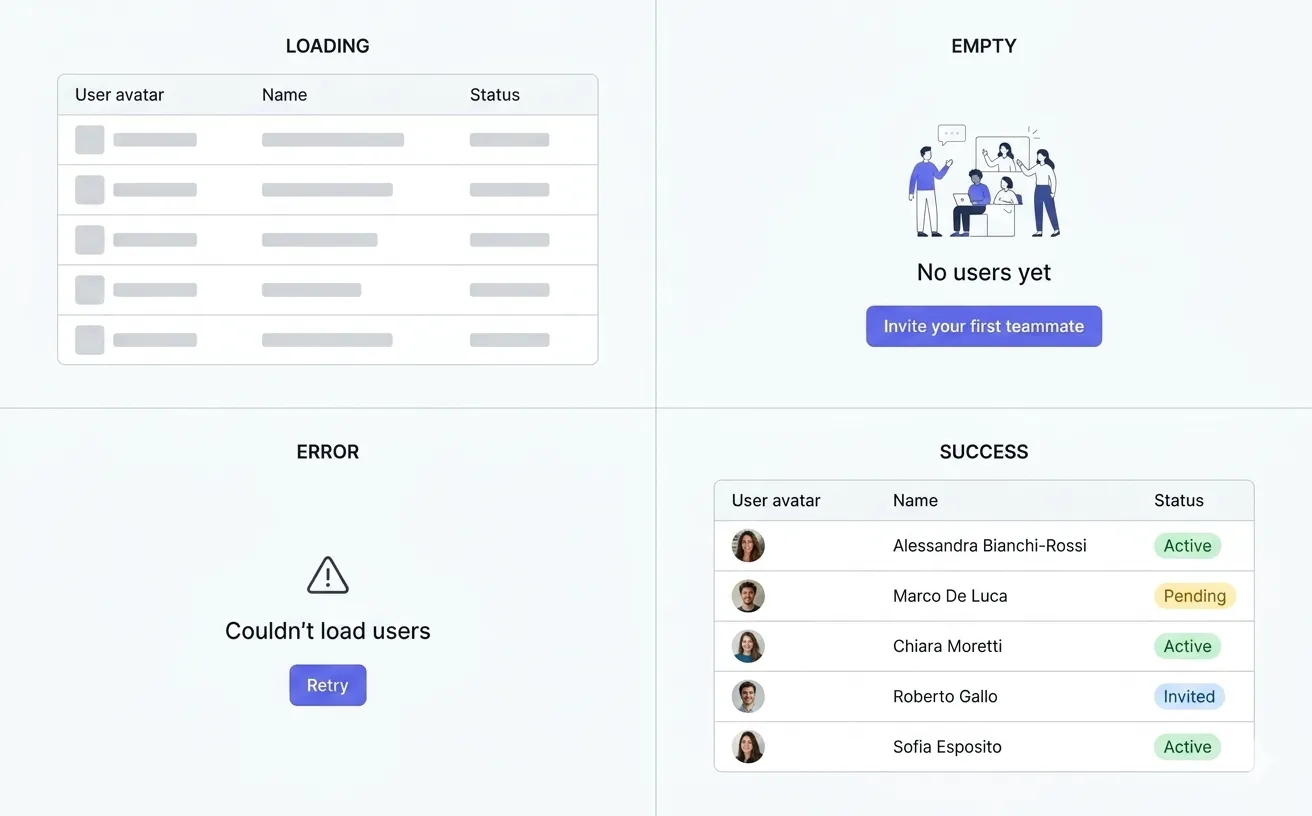
The same screen, four realities. Most teams only ever ship the fourth.
Why these four states matter
Pick any list view in your product and ask yourself, honestly: when was the last time you saw it with an empty array? With a 3-second response? With a 500?
For most teams, the answer is "never in the IDE, only in production".
That's the gap mock APIs are supposed to close. Instead of waiting for QA to find your weak spots, you simulate them on day one and design through them.
The four states every screen should support
Same example everyone uses, because it's the right one: a page that loads users from /api/users.
1. Loading state
Loading is the easiest state to fake and the easiest to ship broken.
A local fixture resolves in microseconds, so your skeleton flashes for one frame and disappears. You think the loader works. It doesn't — you just never gave it a chance to render.
if (isLoading) {
  return <UsersTableSkeleton />;
}
To validate this honestly you need a request that actually takes time. Not "set a setTimeout in the component" — that's
lying to yourself. You need the network boundary itself to be slow, ideally with variable latency so you also catch race
conditions in useEffect cleanups, double-fetch protection, and stale closures. (See the TanStack
Query docs on isFetching vs isLoading — most teams pick the wrong one for refetches.)
2. Empty state
The empty state is the most underrated of the four. It's where new-user trust is either built or destroyed, and it's almost always an afterthought.
if (!data?.data.length) {
  return <EmptyState title="No users yet" />;
}
Empty isn't an edge case. It's the default for first-time users, filtered tables, fresh search queries, and any project that hasn't been seeded. If your empty state just says "No data", you're shipping a dead end where you could have shipped onboarding.
3. Error state
Errors are unavoidable. Whether your UI handles them well is a choice.
The common ones you should be able to reproduce on demand:
401— token expired mid-session403— user lost permission404— record was deleted in another tab422— validation failed on the server500— backend is on fire- A request that just hangs forever
if (error) {
  return <ErrorState message="Couldn't load users" />;
}
If you've never simulated a 500 against your real UI, your error state exists in theory. (And Response.ok
is false for any non-2xx, including the 4xx variants — easy thing to forget when the only response you've ever seen
is a 200.)
4. Success state
This is the one you've already built. Move on.
return <UsersTable rows={data.data} />;
The honest version: success only feels trustworthy once you've seen the other three working next to it.
A quick word on static JSON
You might be thinking: "I already import a users.json, isn't that enough?"
Short answer: no, and I wrote a whole separate piece on why. The shorter version: a frozen file gives you exactly one scenario, instantly, with no error path and no latency. Useful for prototyping a layout. Not useful for testing whether your UI survives reality.
A workflow that actually catches these bugs
Three steps. Not four, because step 4 is "do it again on the next screen" and that's not really a step.
Step 1. Put a real URL between the UI and the data
Even with no backend, your component should call fetch, not import.
export async function fetchUsers() {
  const response = await fetch("/api/users");

  if (!response.ok) {
    throw new Error("Failed to fetch users");
  }

  return response.json();
}
This single decision is the one that pays off six months later when the real backend ships and you don't have to refactor the whole data layer.
Step 2. Configure each variant on the same endpoint
The point of a mock API is that the same URL can produce different behaviors depending on how it's configured. You shouldn't have to change frontend code to test a 500.
For GET /api/users the minimum useful set is:
- populated success — the endpoint's default response
- empty success — set the array length on the endpoint to zero
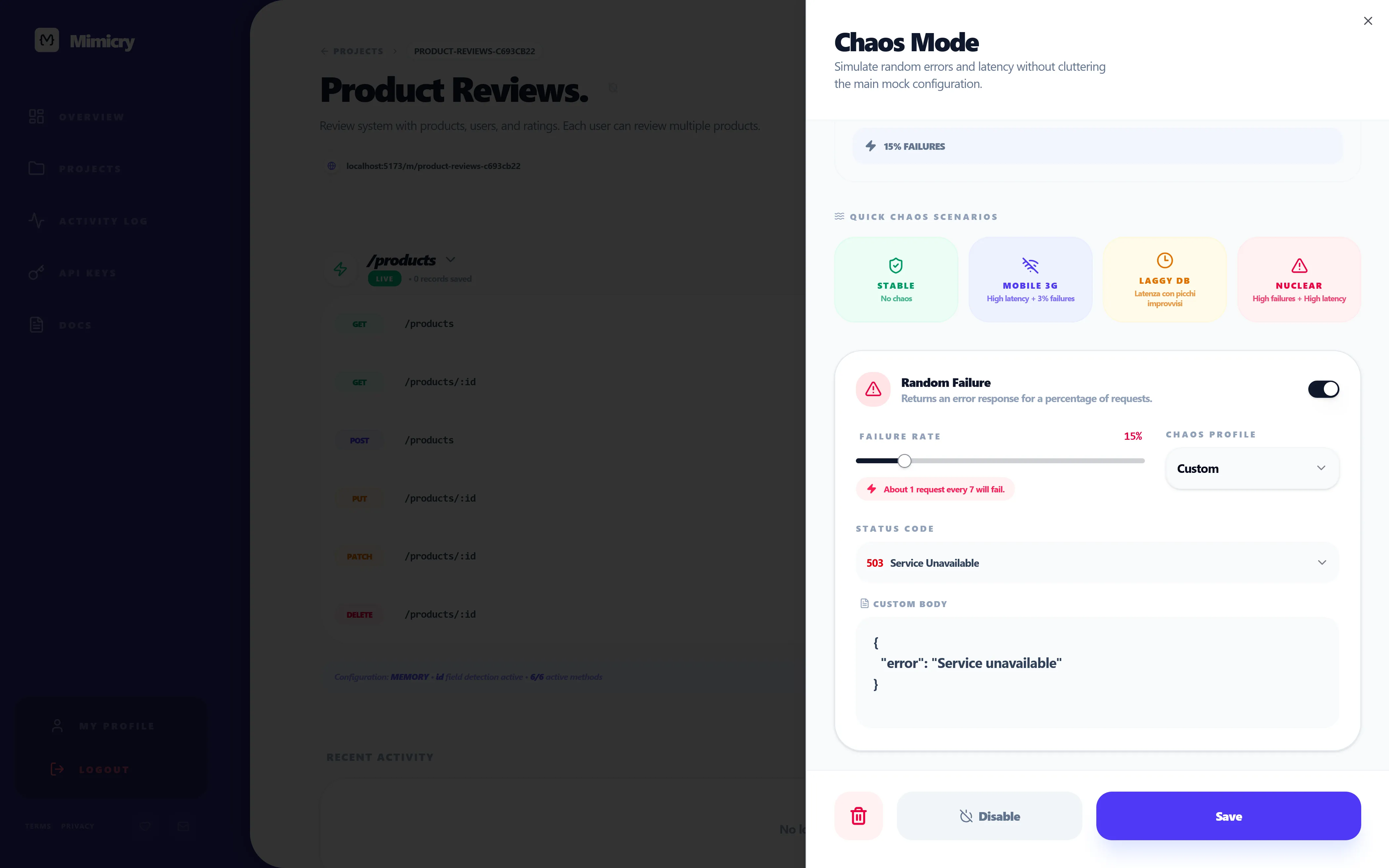
- slow success — turn on chaos mode latency on the endpoint
- 500 error — turn on chaos mode failure with status
500
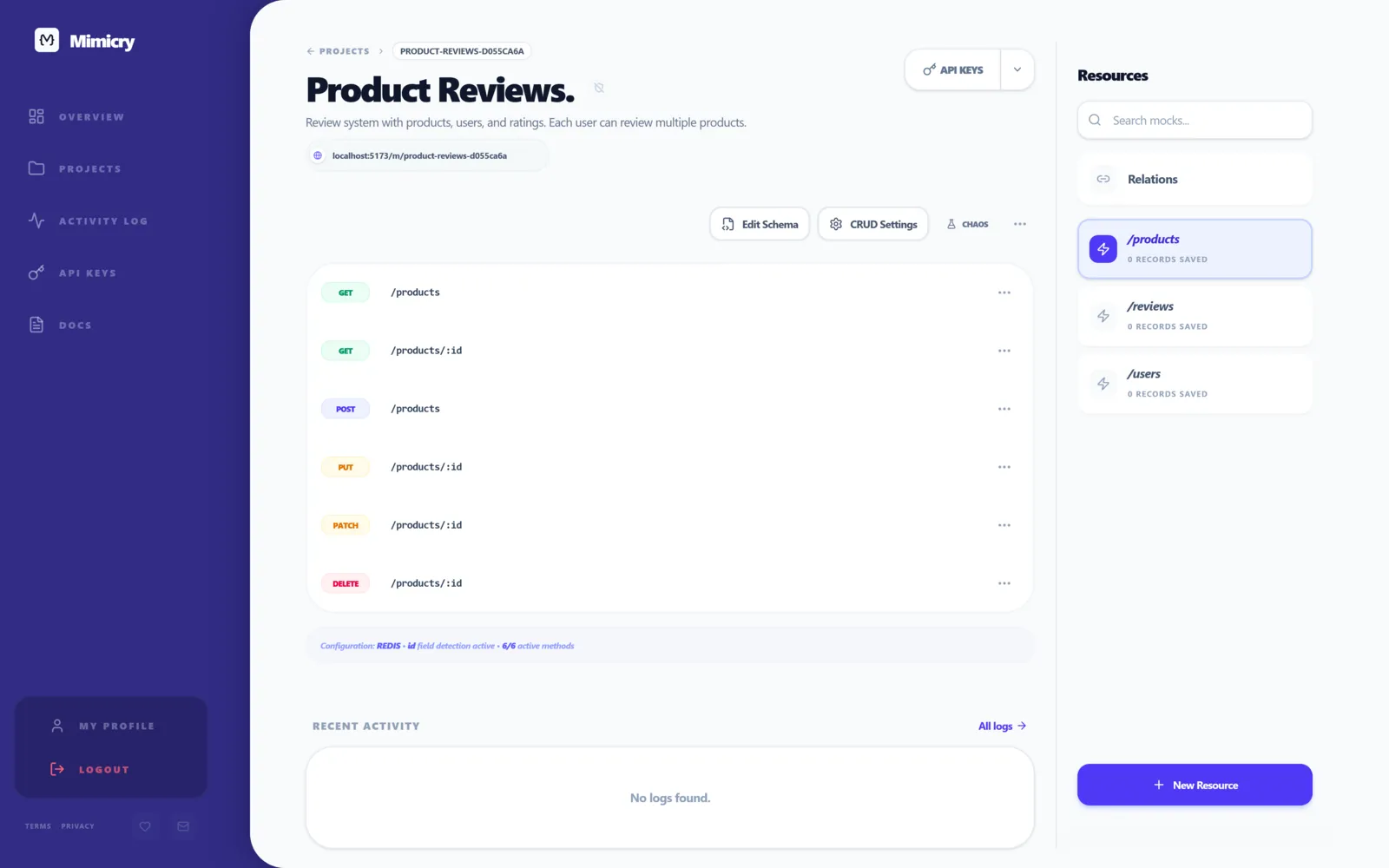
In Mimicry, latency and failures live in chaos mode and apply to the endpoint without touching the frontend. Empty vs. populated is a one-line config change in the endpoint's schema (the array length). As a guest you can spin up the first endpoint in under a minute, no signup required.
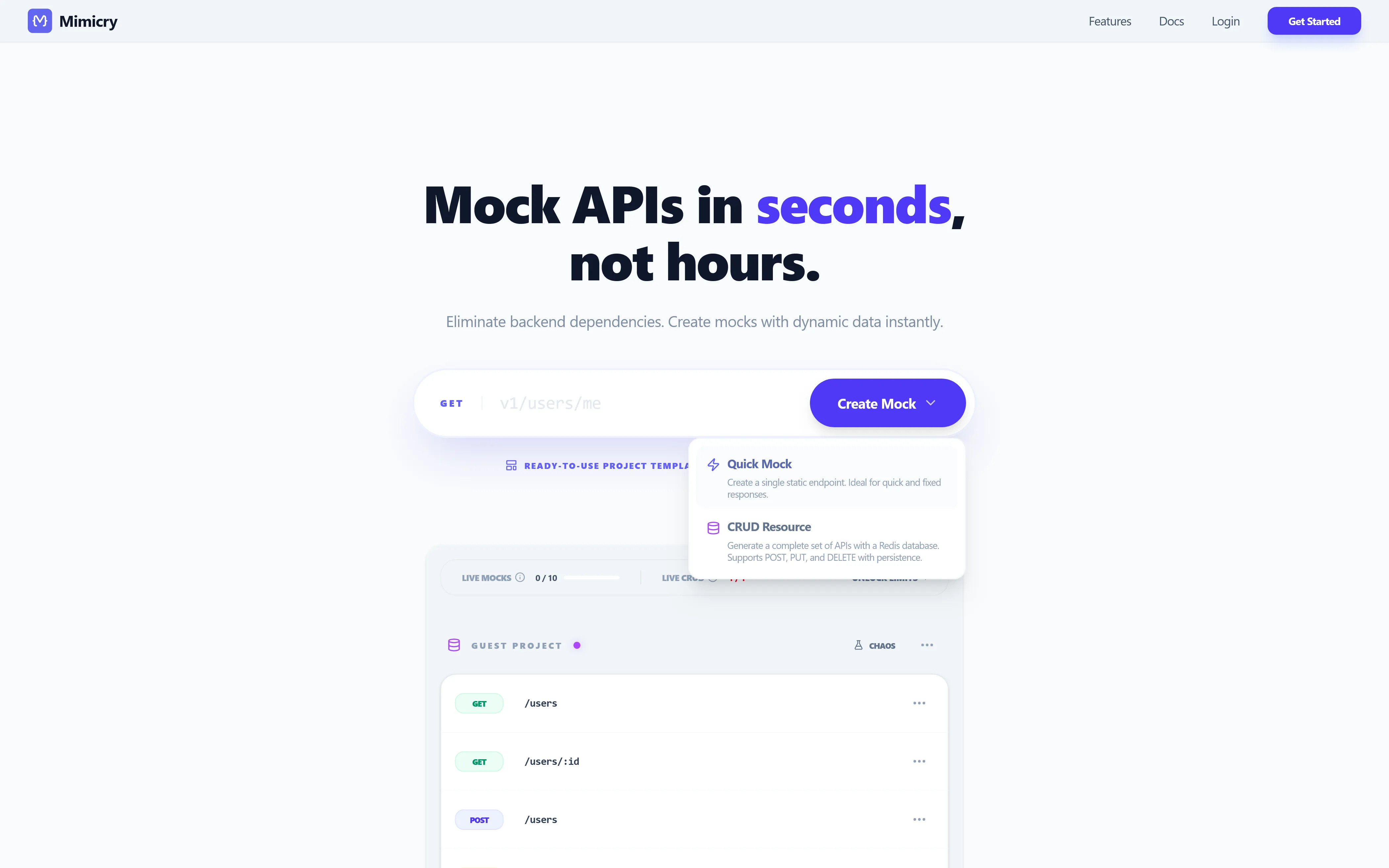
No account, no install. The fastest way to put a real URL between your UI and your assumptions.
Step 3. Test the UI on purpose
Not "click around and see if data appears". Open each scenario explicitly and answer:
- Does the skeleton actually render long enough to read it?
- Does the empty state explain what to do next, or just announce a void?
- Does the error give the user something actionable, or a generic apology?
- Does the success state still look good with names that are 40 characters long?
If any of those answers is "uhh", you have work to do. That's the whole point.
In one component, the four states are just branching order. The order matters — isLoading first, then error, then
empty, then data — because each guard short-circuits the next, and getting them out of order is how you end up rendering
an empty state for half a second before the real data shows up:
function UsersPage() {
  const { data, error, isLoading } = useQuery({
    queryKey: ["users"],
    queryFn: fetchUsers,
  });

  if (isLoading) return <UsersTableSkeleton />;
  if (error) return <ErrorState message="Couldn't load users" />;
  if (!data?.data.length) return <EmptyState title="No users yet" />;

  return <UsersTable rows={data.data} />;
}
Three lines of branching, four states. The cost of doing this is nothing; the cost of not doing it is the bug at the top of this post.
One endpoint, four behaviors
Same route, four different responses depending on how you configure it. This is what you're aiming for:
GET /api/users
Success
{
  "data": [
    { "id": "usr_1", "name": "Alessandra Bianchi-Rossi", "status": "active" },
    { "id": "usr_2", "name": "Marco", "status": "invited" }
  ]
}
Empty
{ "data": [] }
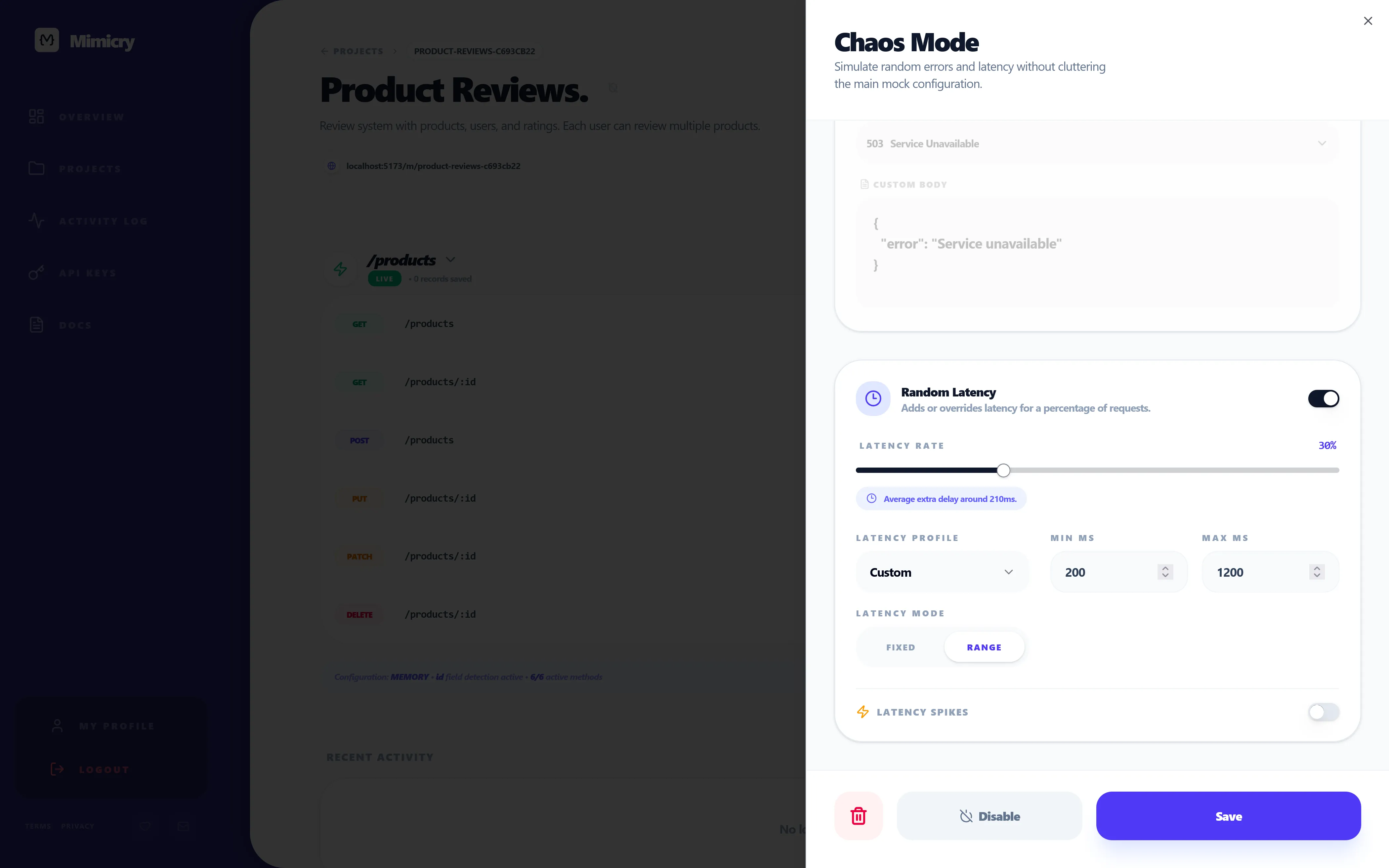
Slow success — same payload as above, but the response is delayed by 2-4 seconds. In Mimicry you'd configure this
with chaos mode latency in range mode rather than hardcoding a number, so the request is occasionally fast and
occasionally painful, which is what real networks actually do.
Error
{ "message": "Internal server error" }
with HTTP 500. Same idea: in chaos mode you'd usually set the failure rate to a percentage rather than 100%, so you
also catch the "request retried and the second call succeeded" path, which is where most real bugs live.
Mimicry vs. MSW, json-server, and Mirage
Fair question: there are already mocking tools, why does Mimicry exist?
Quick honest comparison:
- MSW (Mock Service Worker) — excellent for unit and integration tests because it intercepts requests inside the browser or Node. Lives in your codebase. Worth using. Less convenient when you want to share a mock endpoint with a designer, a QA tester, or a mobile dev who isn't running your frontend repo.
- json-server — perfect for a 5-minute prototype. One JSON file, REST endpoints for free. No first-class concept of scenarios, latency, or error injection. You hit the ceiling fast.
- Mirage JS — powerful, factory-based, great if your team is all-in on JavaScript and willing to write a server-shaped config. Heavier setup. Tied to your app bundle.
- Mimicry — hosted, chaos-first. The mock lives at a real URL anyone on your team (or your CI, or your iOS dev) can hit. Latency, failure rates, and CRUD behavior with relations are first-class, not bolted on. There's a guest mode so you can try the workflow without signing up.
None of these are mutually exclusive. I usually run MSW for unit tests and a hosted mock for the running app. Pick the tool that matches the boundary you're testing.
Where Mimicry actually helps
Bringing it back to the four states, here's the concrete mapping:
- Loading — chaos mode random latency, so the skeleton runs against real wait times instead of a
setTimeout. - Empty — set the array length on the endpoint to zero. No frontend change, no code redeploy.
- Error — chaos mode random failure to inject 4xx and 5xx at a configurable rate, including "fails twice then succeeds"
- patterns that surface retry bugs. (The full walkthrough on chaos as a workflow default, not a one-off test, is in API Chaos Testing for Frontend Developers.)
- Success — generate varied, messy data via the schema's Faker fields instead of three perfect rows of "Alice / Bob / Charlie".
- For the deeper version — corrupting individual fields with controlled probabilities — see Field Chaos.
Final takeaway
If I had to pick one of the four states to test obsessively, it would be empty. Loading bugs annoy users. Error bugs scare them. But empty states are where new users decide whether your product is worth a second visit, and almost nobody designs them on purpose.
Test all four anyway. The cost is one afternoon of mock scenarios. The payoff is not getting the Slack message that says "the dashboard is white for our biggest customer".
If you want to set this up for your own project, you can mock your first endpoint as a guest in about 60 seconds — no signup — at Mimicry's features page, or read How to Mock an API for Frontend Development for the full walkthrough. If you've already shipped a UI and want to stress-test it on purpose, API Chaos Testing for Frontend Developers covers Chaos Mode and Field Chaos.
Ready to try it yourself?
Stop waiting for the backend. Use Mimicry to create a mock API, launch a mock REST API generator, or share a hosted mock API with your team.
Create a Mock API