How to Mock an E-Commerce REST API in Mimicry (Products, Orders, and Relations)
Mocking an e-commerce API is one of those tasks that looks easy in tutorials and gets hard fast in practice. A flat array of products covers the first day. A cart on top of that covers the second day. By the time you need "this customer's orders, sorted by date, with line items pre-joined" — and the backend still isn't ready — the JSON file has stopped being an answer.
The reason is structural. E-commerce isn't five flat lists — it's a graph. Products link to categories, orders link to users, line items link to both products and orders. That junction-table shape is exactly what a static fixture can't represent, and it's exactly what most mocking tutorials skip past with a wave.
This post is the version that doesn't skip past it. We'll build a working e-commerce mock with five linked resources, four foreign keys, and every query a real backend supports — filtering, sorting, pagination, nested routes, embedding. Then we'll break the checkout on purpose with Chaos Mode, because the bugs that hurt most in e-commerce are not "the catalog is slow" but "the order creation hangs halfway and the user clicks again".
By the end of this post you'll have a working mock with:
- 5 resources (categories, products, users, orders, order items)
- 4 foreign keys, including one M:N implemented as a junction table
- Filtering, sorting, and pagination on every list endpoint
- Nested routes like
/users/{userId}/orders - Embedding to fetch related records in a single request
- A Chaos Mode config to break checkout on purpose
We'll use the E-Commerce project template that ships with Mimicry, which provisions all five resources and their relationships in about 30 seconds.
The graph: five resources, four foreign keys
A real e-commerce backend has a small number of resources with a specific shape:
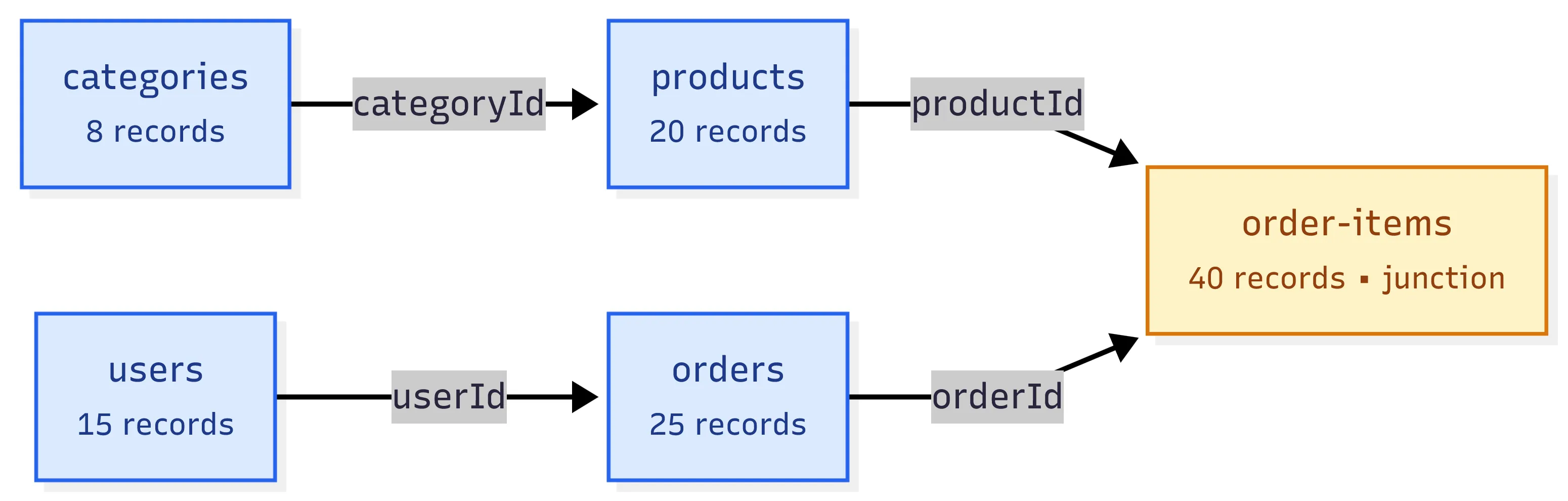
Five resources. Four 1:N relationships. The interesting one is order-items: it sits between products and orders so
that the same product can appear in many orders and the same order can contain many products. In relational-database
terms, order-items is a junction table that turns two 1:N relations into an effective M:N.
This matters because it's the structure that most "mock e-commerce" examples online get wrong. They give
you /products and /orders where each order has a flat array of product IDs. That works for a screenshot.
It collapses the moment you need to put anything on the line — quantity, unit price at the time of purchase,
a per-item discount, a shipping note. Those fields belong on the relationship, not on the product or on the order.
The template encodes this for you. You don't have to design it. But you should understand why it's there before you start querying it, because half the operations below — nested routes, embedding, auto-FK on POST — only make sense once the graph is in place.
Why a graph, not a flat list
If you tried to model this with one JSON file, what you'd actually be writing is:
{
  "orders": [{ "id": "ord_1", "userId": "usr_1", "products": ["prd_1", "prd_2"], "total": 89.5 }]
}
That's fine for a sketch. It's not fine for anything that asks: how many of prd_1 did this order contain? What was
the unit price of prd_2 at the time of purchase, before the catalog changed last week? Can the order have the same
product twice with different shipping notes? Each of those needs a row that belongs to the relationship, not to either
side. That's what order-items is for, and that's why a flat file can't represent it.
If you're tempted to start with a flat structure and "graduate later", Static JSON Mocks Are Not Enough is the longer version of why that shortcut traps you. The short version: by the time you realise you need the join, three components have been built around the wrong shape and migrating them is a rewrite.
Setup with the E-Commerce template
Two minutes from "I need an e-commerce mock" to "I have a working URL":
- Sign up at Mimicry. It's free and takes 30 seconds. Templates are a registered-user feature because they create multiple linked resources, and guest mode is limited to one resource per project — not enough to build a useful graph.
- From the console, click New project and pick the E-Commerce template.
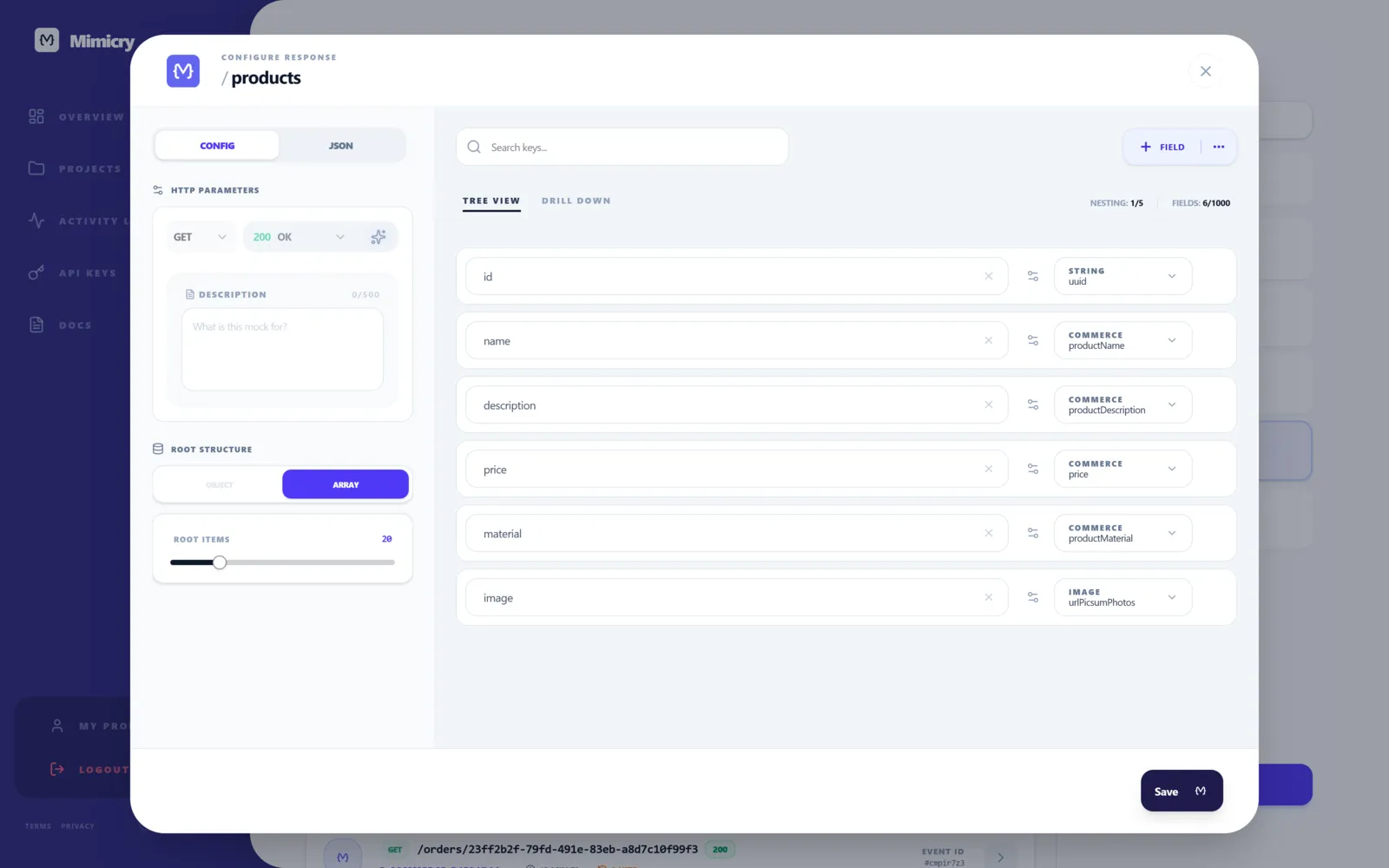
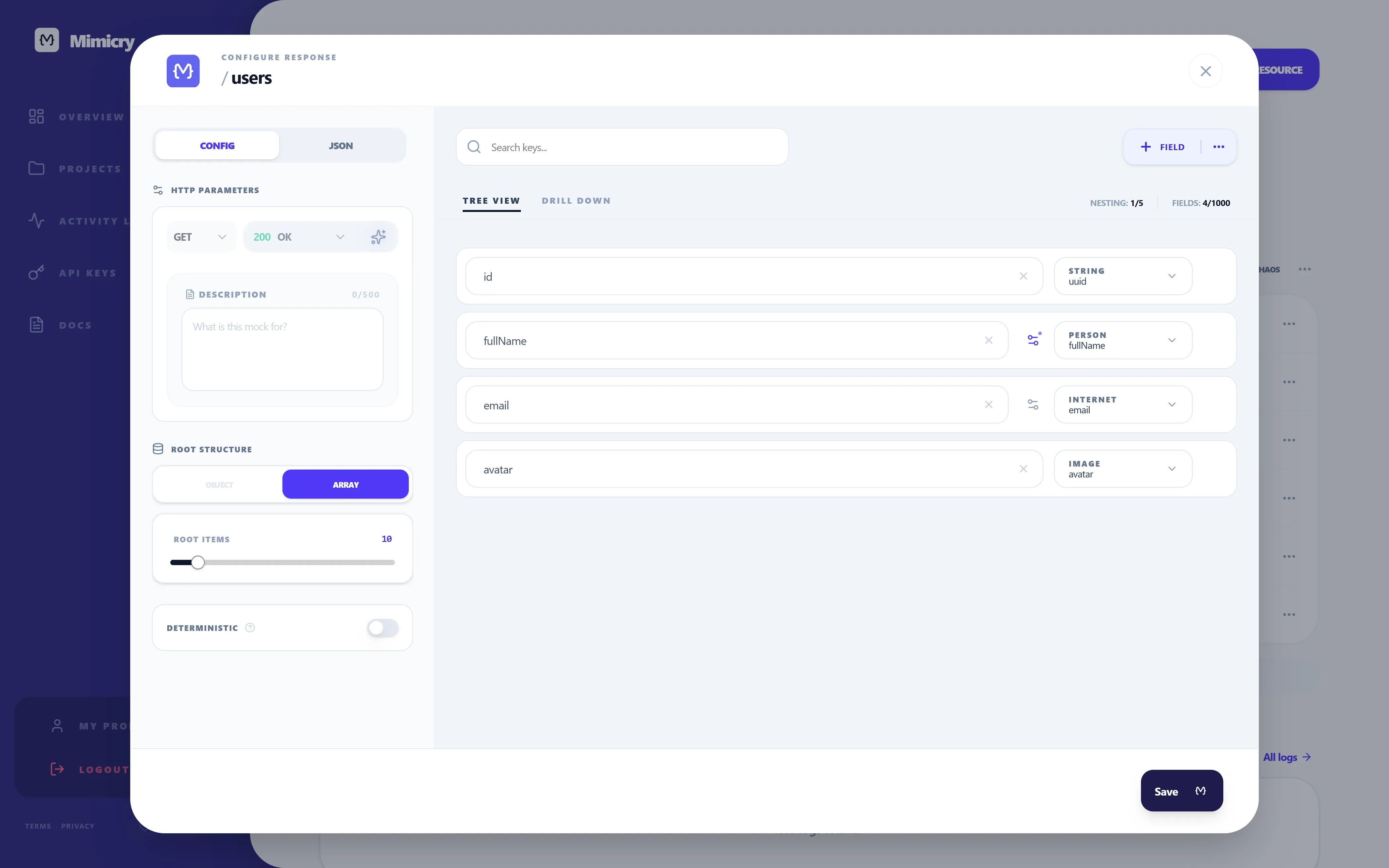
- The five resources and their four foreign keys are created automatically, each backed by a Faker schema that generates realistic data: 8 categories, 20 products, 15 users, 25 orders, 40 order items.
- Copy the
projectSlugshown in the project header. You're done.
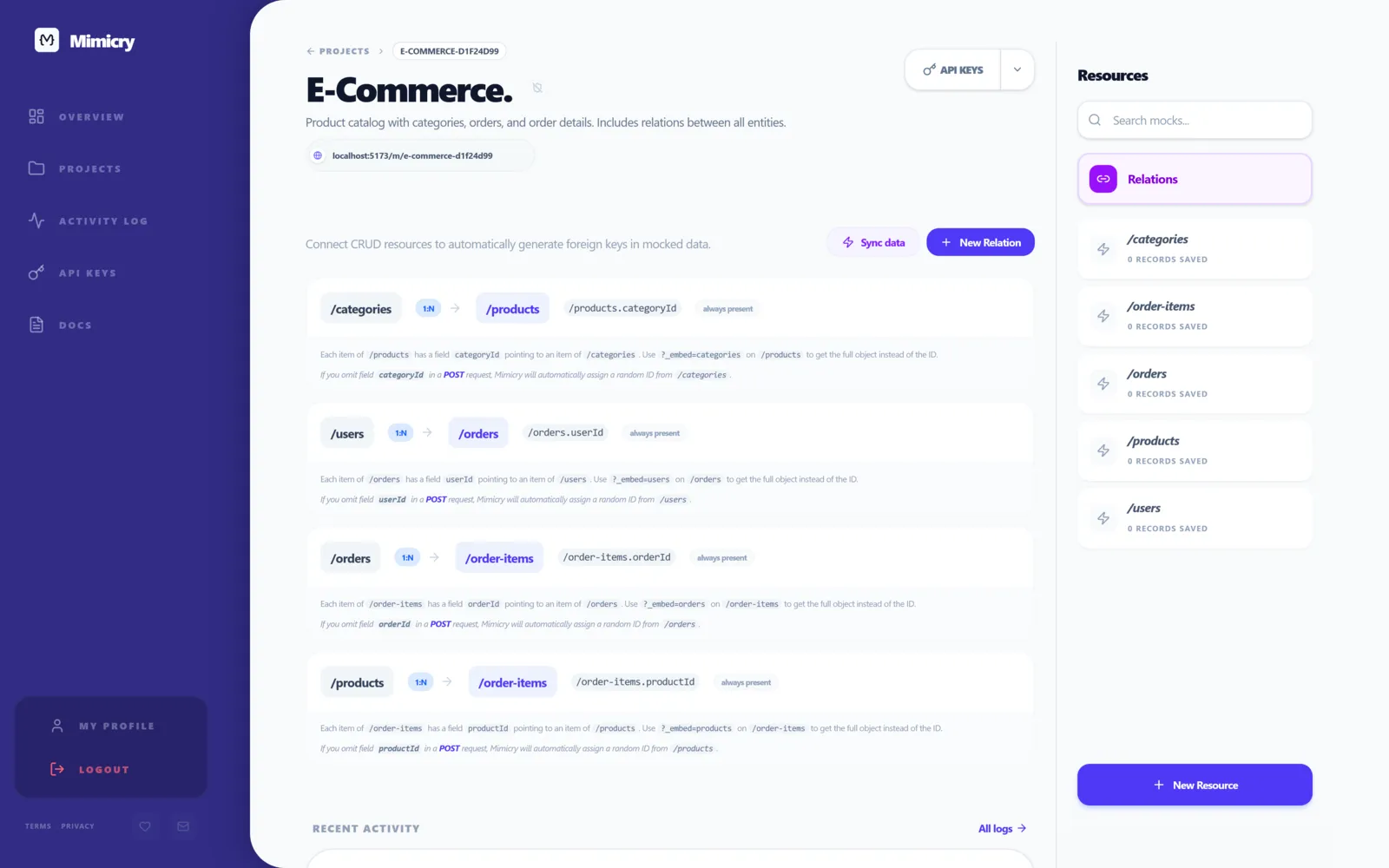
The base URL for every operation below is:
https://mimicry.rest/m/{projectSlug}/{resource}
So if your slug is my-shop, GET /products lives at https://mimicry.rest/m/my-shop/products. Substitute {projectSlug} with yours in any snippet below.
Filtering: querying the catalog
Filters travel as query-string parameters. The field name in the URL maps directly to the field name in the schema, no special syntax:
GET /{projectSlug}/products?material=Cotton
returns only products whose material equals "Cotton" (case-insensitive for strings). It's exact match — there is
no LIKE operator. If you need partial matching you do it client-side over a paginated chunk, which is fine for
filter-as-you-type UI and a bad idea for any production-grade search.
Multiple parameters combine as AND:
GET /{projectSlug}/products?material=Cotton&categoryId=cat_42
Repeating the same parameter combines as OR:
GET /{projectSlug}/orders?status=pending&status=processing
This is the one thing that's easy to miss: AND across keys, OR within a key. I've watched colleagues
set ?status=pending,processing (comma-list, the way a lot of REST APIs do it) and waste fifteen minutes wondering
why the response was always empty. The mock matched status === "pending,processing". Literal string. No matches.
(For the "loading / empty / error / success" UI states that filtering produces — the most underrated one being "filter returns zero rows" — see How to Test Loading, Empty, Error, and Success States.)
Sorting: cheap first, newest first
GET /{projectSlug}/products?sort=price
GET /{projectSlug}/products?sort=-price
GET /{projectSlug}/orders?sort=-createdAt
Ascending by default. Prefix with - for descending. Single field at a time — there's no multi-field sort
like ?sort=price,-name. If you need a stable tie-breaker (equal prices ordered alphabetically by name, for example),
do the secondary sort client-side after the response lands.
Default sort when no sort is sent is insertion order. That happens to look right for the templated data
because the seeder inserts in a stable order, but it isn't what a real database would give you. If your screen is
"newest orders first", always pass ?sort=-createdAt explicitly. Don't rely on the default — it's a trap that
disappears the day the backend goes live.
Pagination
GET /{projectSlug}/products?page=2&limit=10
The template ships with wrapResponse: true, so the response looks like:
{
  "data": [ ... ],
  "meta": { "total": 20, "page": 2, "limit": 10, "totalPages": 2 }
}
Twenty products is fine to fetch unpaginated. Two thousand isn't. Build the data layer around meta.totalPages
from day one, even when the mock returns a single page, because the day you point the env var at the real backend and
discover it's been silently capping at 50 per page is the day you find out your <Pagination> component has been
hardcoded to "1 of 1" for three months.
POST and auto-FK: the bit a JSON file can't do
This is the operation that local fixtures literally cannot model.
If you POST a new product without specifying a categoryId:
POST /{projectSlug}/products
Content-Type: application/json

{ "name": "Bluetooth headphones", "price": 79.9, "material": "Plastic" }
Mimicry looks at the relationships defined on the resource, finds that products has a 1:N FK from categories,
picks one of the existing categories at random, and writes the categoryId onto the new record before persisting it.
The response includes the auto-populated value.
This sounds like a quality-of-life shortcut. In practice it's the feature that lets you write integration tests
without seeding scripts. You can drop into a fresh project, POST 200 orders in a loop without first fetching every
user ID, and every order will be associated with an actual user. Same for POST /order-items — Mimicry picks a
real orderId and a real productId for you.
Without this, the alternative is a 30-40 line beforeAll in your test suite that fetches users, picks one, threads
it through every POST. That block disappears when the mock auto-associates for you. You can have opinions about
whether auto-association should be the default behaviour for a mock server, but it pays for itself on the integration tests.
If you want to disable it and provide your own FK explicitly:
POST /{projectSlug}/products
{ "name": "Headphones", "categoryId": "cat_explicit_42" }
The explicit ID wins. Mimicry doesn't override what you send.
Nested routes: /users/{userId}/orders
Nested routes are a query shortcut. The URL /{projectSlug}/users/usr_abc/orders is parsed, Mimicry sees
that users and orders are related on userId, and applies the filter automatically. These two requests are equivalent:
GET /{projectSlug}/users/usr_abc/orders
GET /{projectSlug}/orders?userId=usr_abc
POST works the same way:
POST /{projectSlug}/users/usr_abc/orders
{ "total": 129.5, "status": "pending" }
creates an order with userId: "usr_abc" even though the body doesn't include it. Useful when your frontend is
already in a "viewing user X" context and you want the write scoped to that user without threading the ID through
every component.
A common trap: nested routes only work for resources with a relationship explicitly defined. If you try
/{projectSlug}/products/prd_1/orders you'll get a 404, because there's no direct FK between products and
orders — they're linked through order-items. To get the orders that contain a specific product, two options:
filter order-items by productId and look up the orders separately, or use embedding (next section) on the other side of the graph.
Embedding: one request instead of three
The pattern ?_embed=<resource> replaces the foreign-key fields with the actual related objects:
GET /{projectSlug}/orders/ord_abc?_embed=order-items
returns:
{
  "id": "ord_abc",
  "userId": "usr_1",
  "total": 129.5,
  "status": "pending",
  "createdAt": "2026-05-12T11:43:00Z",
  "order-items": [
    { "id": "oi_1", "orderId": "ord_abc", "productId": "prd_4", "quantity": 2, "unitPrice": 49.9 },
    { "id": "oi_2", "orderId": "ord_abc", "productId": "prd_9", "quantity": 1, "unitPrice": 29.7 }
  ]
}
For an order-detail page this is one request instead of three. For a user profile page (GET /users/usr_abc?_embed=orders)
it's the difference between rendering a list of order IDs and rendering actual rows.
You can also embed in the reverse direction. GET /products/prd_4?_embed=order-items returns the product plus every
order-item that references it — handy for "this product was in N orders" widgets.
What _embed doesn't do is traverse two hops. You can't say "give me an order with its items AND each item's product
in one go". For that you do two requests and stitch them client-side, or you chain queries with TanStack Query's enabled
flag so the second fires once the first lands. The mock doesn't pretend to be GraphQL — and frankly that's a feature,
because a real REST backend won't either.
Wiring it up from React
A small TanStack Query example using three of the features above together:
import { useQuery } from "@tanstack/react-query";

const API = import.meta.env.VITE_API_URL;

async function getRecentOrders(userId: string) {
  const url = new URL(`${API}/users/${userId}/orders`);
  url.searchParams.set("sort", "-createdAt");
  url.searchParams.set("limit", "5");
  url.searchParams.set("_embed", "order-items");

  const res = await fetch(url);
  if (!res.ok) throw new Error("Failed to load recent orders");
  return res.json();
}

function RecentOrders({ userId }: { userId: string }) {
  const ordersQuery = useQuery({
    queryKey: ["orders", userId, "recent"],
    queryFn: () => getRecentOrders(userId),
    staleTime: 30_000,
  });

  if (ordersQuery.isLoading) return <OrdersSkeleton />;
  if (ordersQuery.isError) return <ErrorBanner />;
  if (!ordersQuery.data.data.length) return <EmptyState />;

  return <OrderList orders={ordersQuery.data.data} />;
}
Three URL parameters give you: scoped to one user (nested route), most recent first (sort), and with line-items pre-joined (embed).
The component handles four UI states. The frontend doesn't know the backend is a mock — and that's the whole point.
The day you flip VITE_API_URL to the real production URL, the only thing that should change is the URL itself.
(For the full TanStack Query playbook against a mock REST API — mutations, query invalidation after POST, retry strategies — see How to Use a Mock REST API for React Development.)
Chaos Mode on the checkout
The interesting failure path in e-commerce is not "the catalog is slow". It's "the order creation fails halfway and the user doesn't know if they were charged". That bug exists in pretty much every e-commerce frontend until it's been deliberately reproduced.
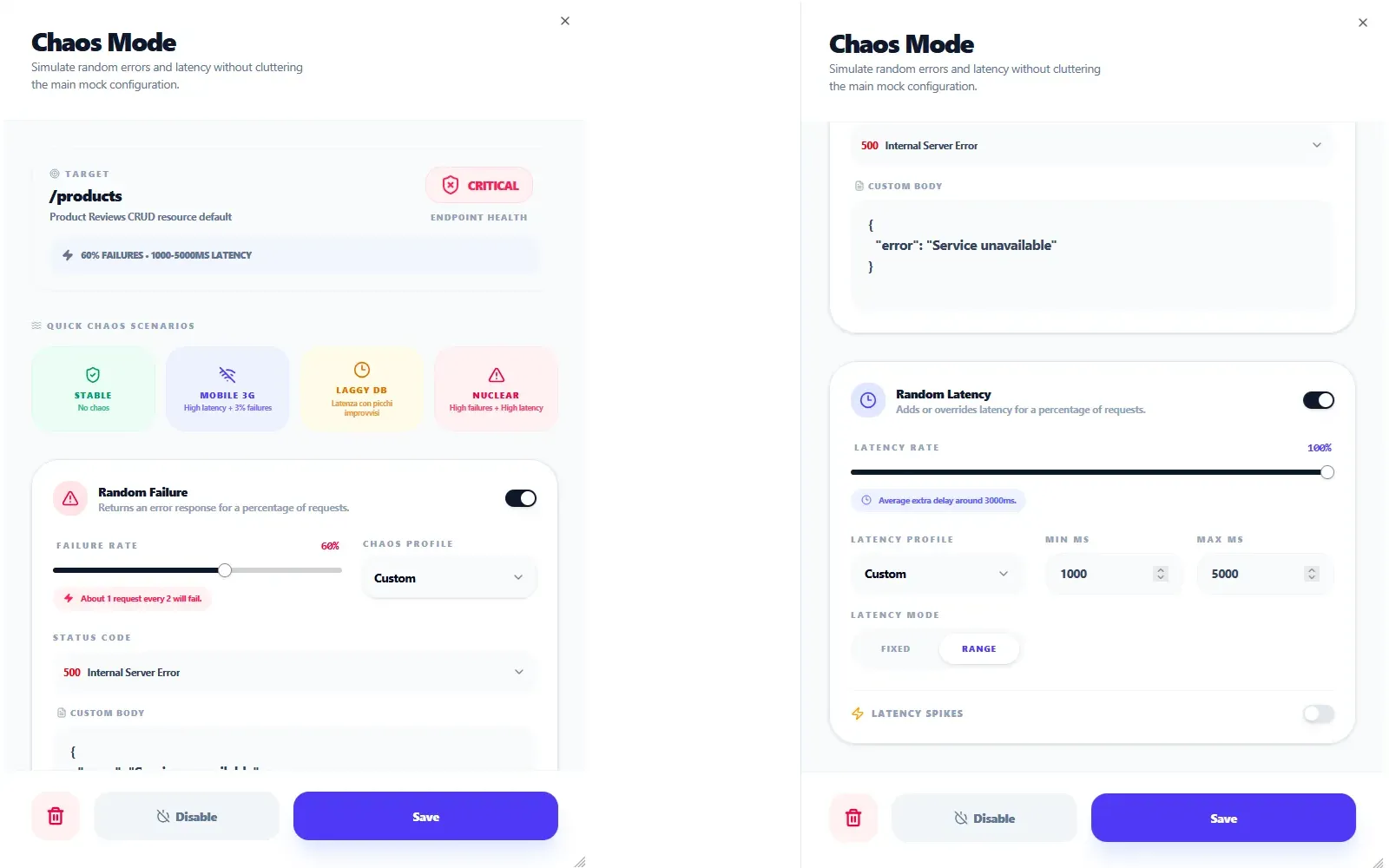
In Mimicry, Chaos Mode can be scoped per HTTP method on a CRUD resource. Open the /orders resource, configure Chaos
on POST only:
- Random failure rate: 8%
- Status code: 500
- Random latency: range 800–4000 ms
GET /orders stays clean. The catalog reads normally. But POST /orders now behaves like a real backend on a
slightly bad day, and your checkout flow is exercised against three new realities:
- The POST that succeeds slowly — does the submit button get disabled? Does the spinner render long enough to be informative? Does a second click queue another request?
- The POST that fails with a 500 — does the error message tell the user what to do next, or just say "Something went wrong"?
- The POST that fails, the user retries, and the second attempt succeeds — do you end up with one order, two, or zero?
The last one is where the real bugs live. If the frontend doesn't generate an idempotency key per submit, an 8% failure rate during development will surface a duplicate-order bug in about ten minutes. Without the chaos config, those bugs ship to customers.
(The full chaos workflow — including per-field corruption with Field Chaos for malformed payloads — is in API Chaos Testing for Frontend Developers.)
Where to go from here
The E-Commerce template is one of four that ship with Mimicry. If your domain is different, the same mechanics apply to:
- To-Do List — users with tasks (1:N). Smaller graph, perfect for testing dashboards and "my X" views.
- Blog — authors, categories, posts, and comments. Three relationships, no junction tables. A good middle-ground complexity.
- Product Reviews — products, users, and reviews. Two relationships converging on
reviews, similar in shape to howorder-itemsworks here but simpler.
You can also build your own graph from scratch in the console. The operations described above — filtering, sorting, pagination, nested routes, embedding, auto-FK on POST, per-method chaos — work identically regardless of what resources you define. Whether you're mocking SaaS billing, IoT telemetry, or a media library, the building blocks are the same.
If you want the broader process (why mock at all, where it fits in your team's workflow), How to Mock an API for Frontend Development covers that. If you're comparing hosted mocks to local tools like json-server, Mock API vs json-server is the direct comparison.
The fastest way to see the whole graph live is to sign up — the E-Commerce template is one click away, and the first endpoint of your storefront is reachable about a minute later.
Ready to try it yourself?
Stop waiting for the backend. Use Mimicry to create a mock API, launch a mock REST API generator, or share a hosted mock API with your team.
Create a Mock API